ServiceNow
Designing a Component System That Works in Any Theme
TEAM
Engineer
Mobile UX Designer
Product Manager
Content Writer
Accessibility Team
ROLE
UX Designer
Accessibility Design
UI Designer
TOOLS
Figma
Miro
Builttools (Internal)
YEAR
March 2022 - October 2022
PROBLEM
Eye Strain Was Slowing Users Down
Users spend hours working in the product each day, but the interface only supported a light theme. This caused eye strain and fatigue during long sessions, making it harder to stay focused. Users consistently asked for more control over how the interface looked and felt.
SOLUTION
Designing a Dark Theme That Scales
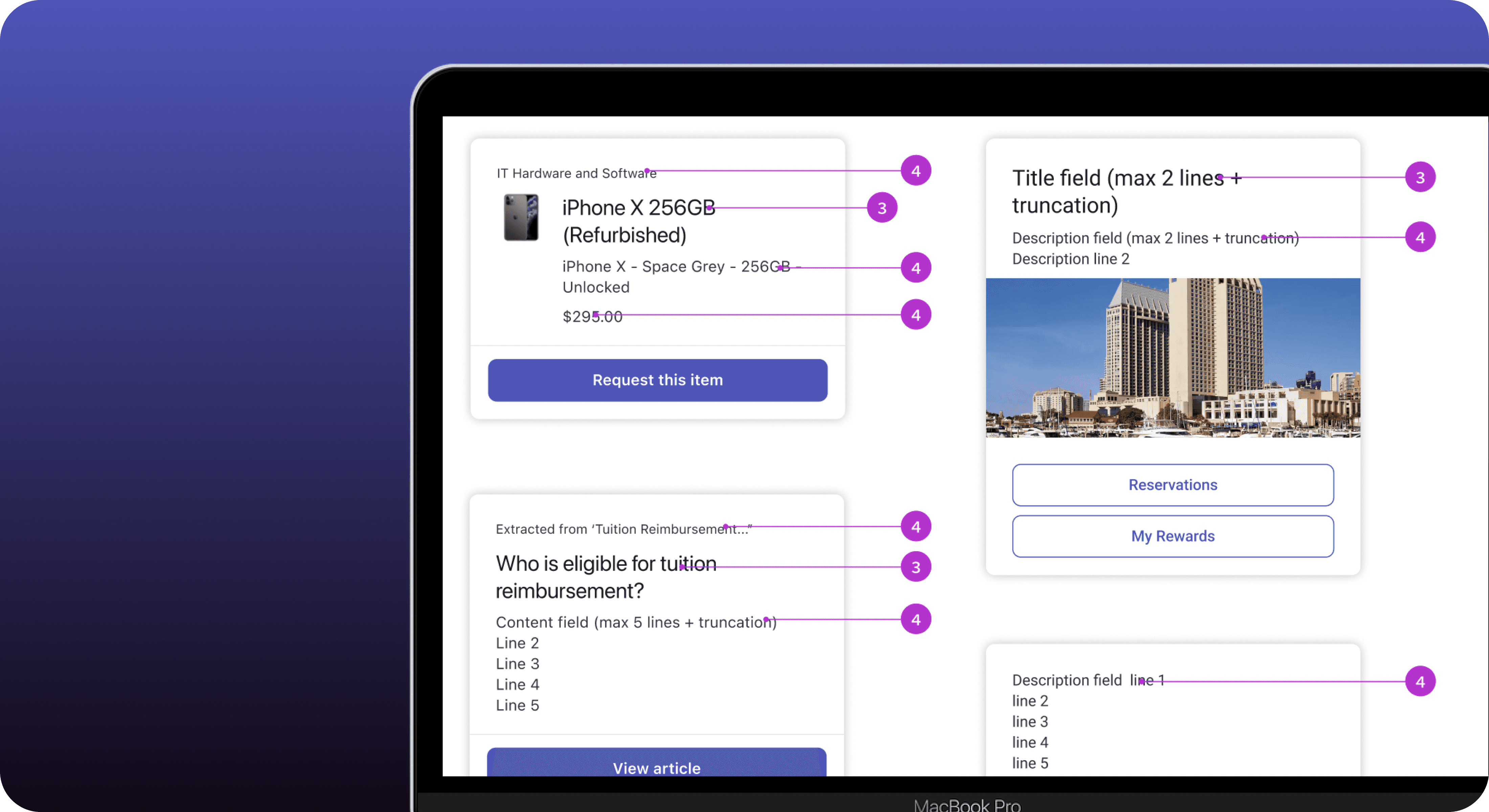
As the designer leading the desktop experience, I designed and shipped a dark theme to reduce eye strain. I mapped the mobile color system to desktop and extended it with new colors and states to support desktop-specific interactions, collaborating closely with platform and engineering teams to ensure accessibility and consistency.
DISCOVERY + USER RESEARCH
Dark Mode Wasn’t a Preference, But a Need
WHAT I DID
Audited existing research by partnering with designers, PMs, and engineers
Consolidated findings to avoid duplicating work
Aligned with the Now Design System team to define component usage and constraints
WHY IT MATTERED
Validated dark mode as a productivity issue, not a preference
Ensured the solution aligned with system standards and scalability
Reduced design and engineering rework by grounding decisions early
COLOR SWATCH + ACCESSIBILITY STANDARDS
Designing a Theme That Works for Everyone
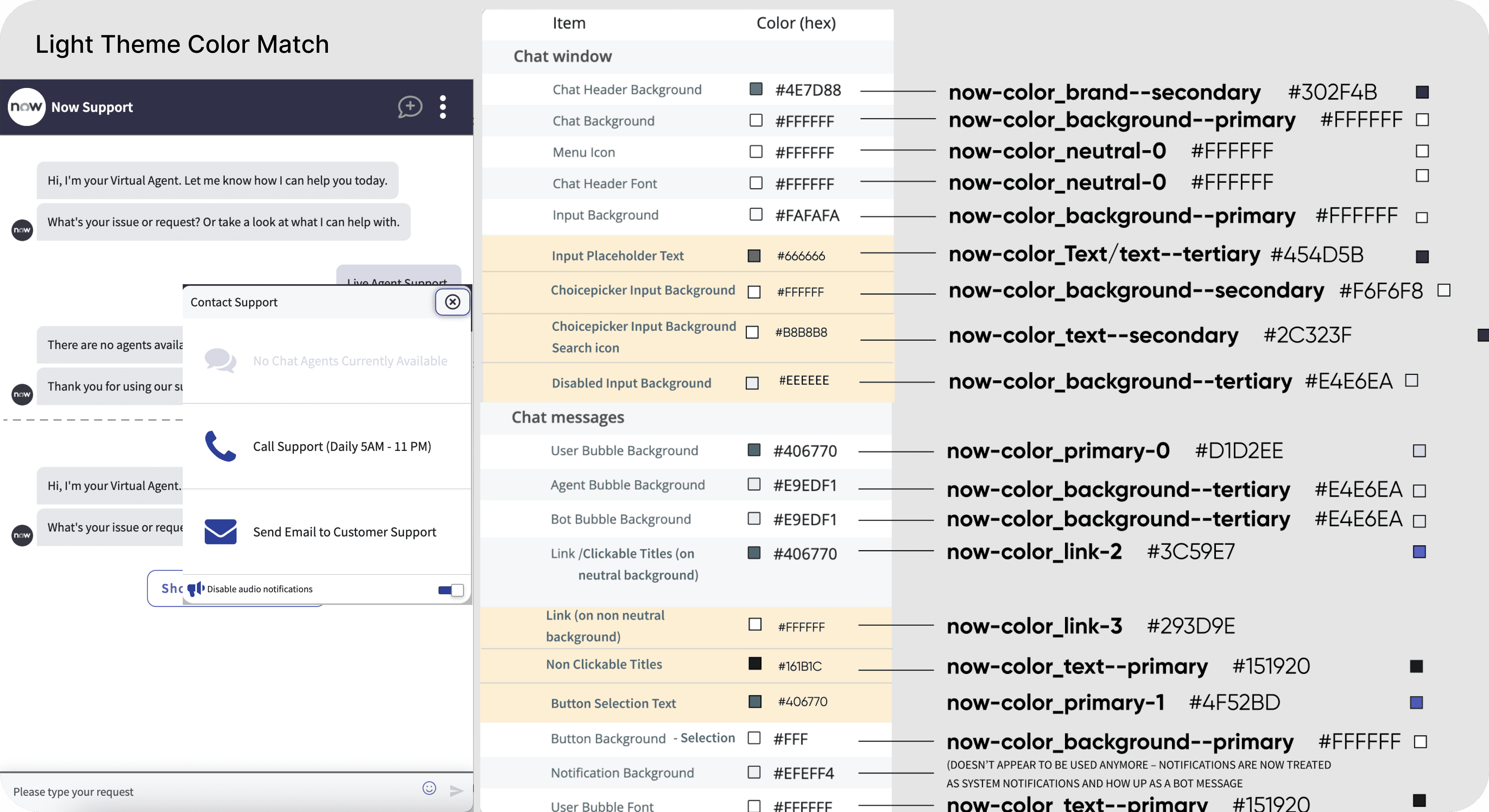
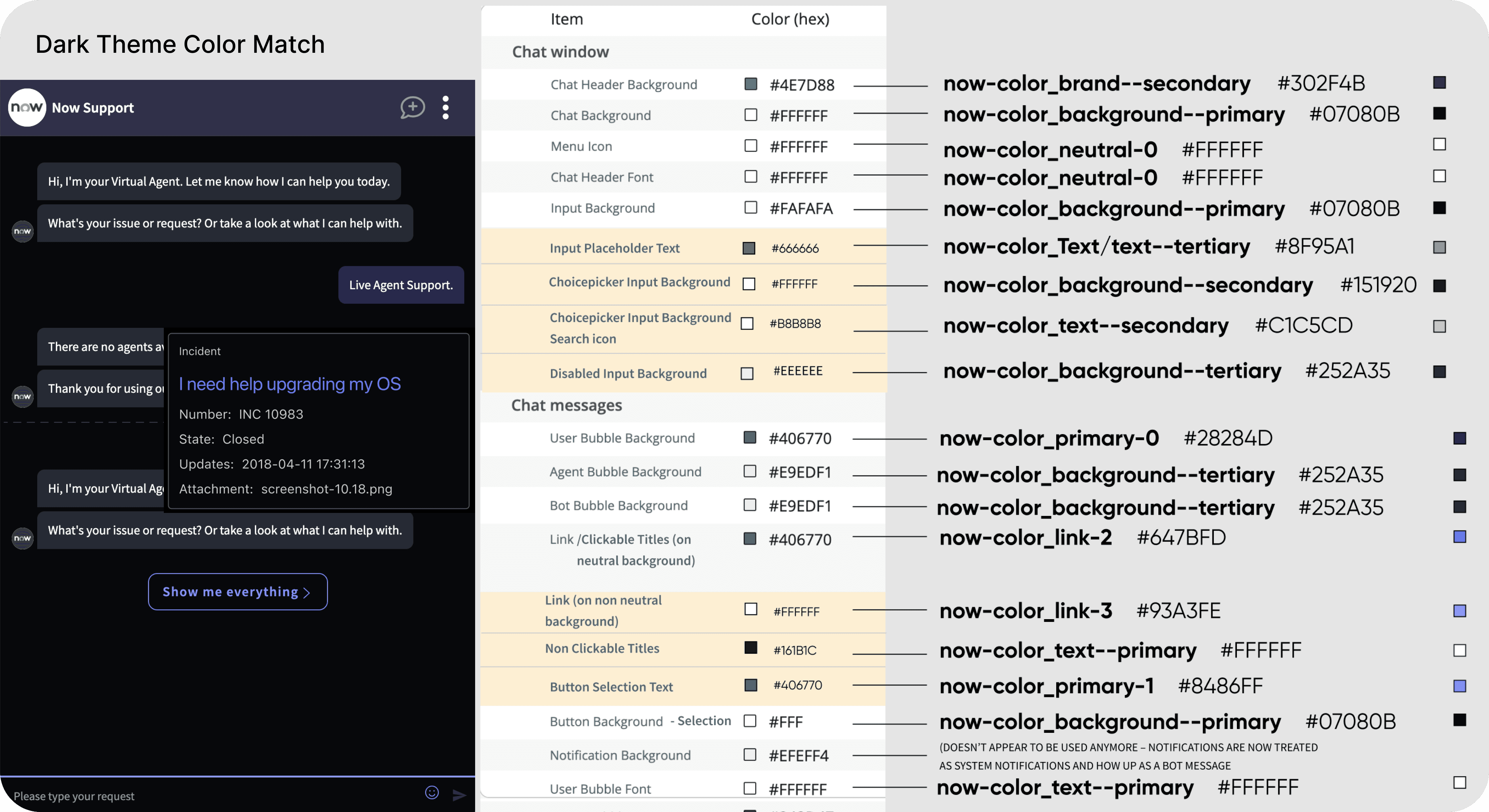
I led the color system design for dark mode by partnering closely with the mobile and platform teams to ensure consistency across experiences. I translated existing mobile tokens to desktop and extended the system where gaps existed, creating new colors and states to support desktop-specific use cases.
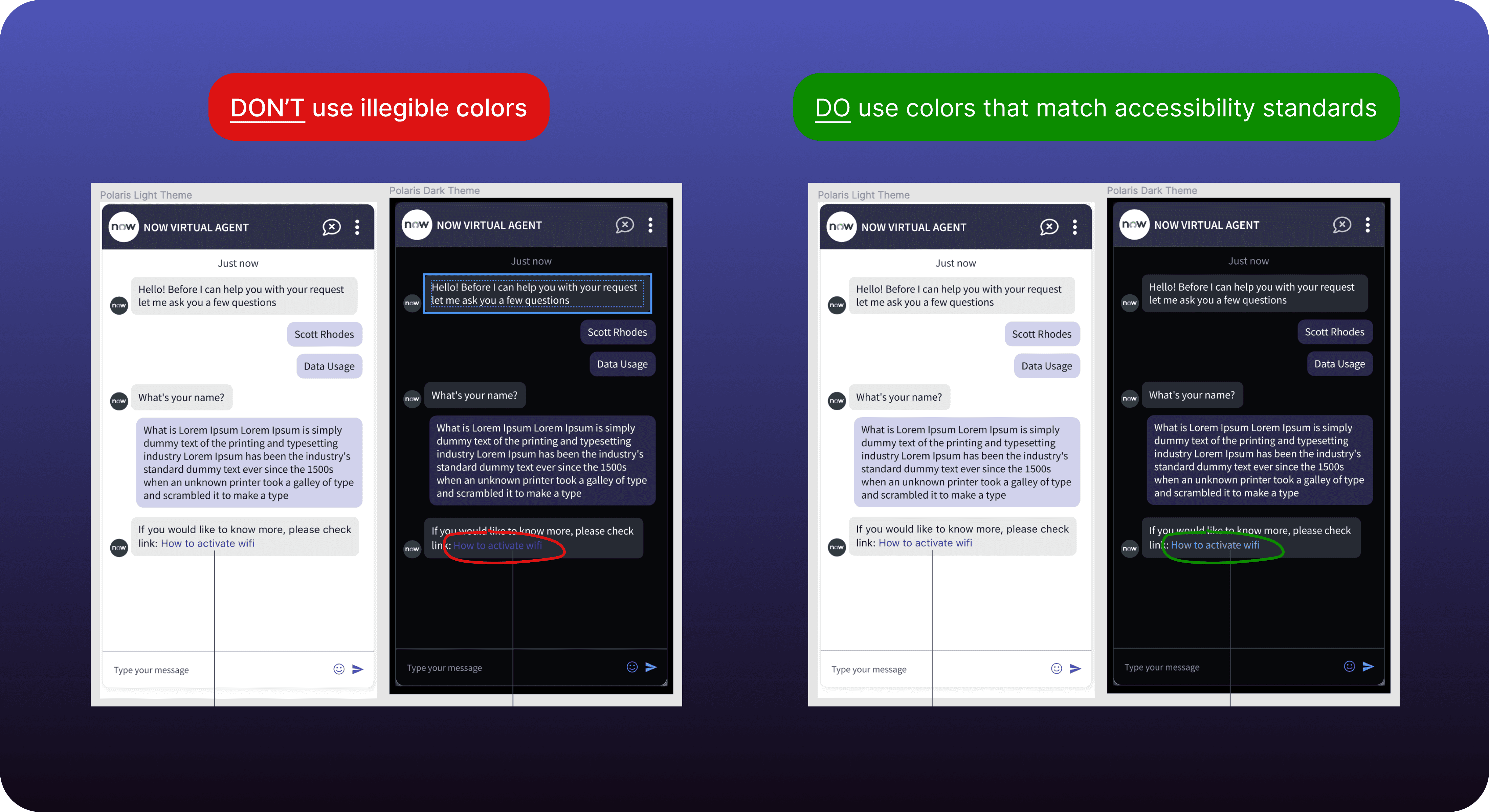
Every decision was validated against WCAG and accessibility standards, with designs reviewed alongside the accessibility (A11y) team to ensure proper contrast, legibility, and usability in both light and dark themes. The result was a scalable, accessible color system that improved comfort without compromising brand or quality.
RESULTS
Dark Mode Drove Daily Engagement
LEARNINGS
Designing for Comfort Is Designing for Productivity
Comfort is not cosmetic
What started as a visual enhancement became a measurable driver of engagement during long work sessions.
Systems must adapt across platforms
Mobile tokens provided a foundation, but desktop required extending the system to support longer usage patterns and more complex states.
Accessibility raises the bar for everyone
Designing to WCAG standards improved clarity, contrast, and overall usability.